Home automation gives homeowners in The Woodlands a practical way to reduce energy waste without sacrificing everyday comfort. The problem is that cooling, lighting, electronics, and water-heating loads often run longer than necessary, quietly pushing monthly bills higher. In a warm, humid climate, even small scheduling mistakes can keep air-conditioning equipment working while rooms are empty or doors are open. That waste adds up, especially when household routines change from day to day. A connected system solves the problem by coordinating thermostats, sensors, shades, lights, plugs, and energy reports around actual occupancy and preferred schedules. With thoughtful setup, residents can lower unnecessary consumption, spot costly patterns, respond remotely, and maintain comfort more consistently while making every kilowatt-hour work harder year-round.
Why Connected Energy Management Matters in The Woodlands
The most valuable benefit of residential automation is not the ability to operate devices from a phone. It is the ability to make different systems respond intelligently to time, occupancy, temperature, daylight, weather conditions, and household behavior.
A conventional home depends on people remembering to adjust every thermostat, switch, fan, shade, and appliance. A connected home can complete many of those adjustments automatically.
That distinction matters in The Woodlands, where long cooling seasons can place sustained demand on air-conditioning equipment. Forgetting to change a thermostat before leaving for work may seem minor, but repeating that mistake several times a week creates unnecessary runtime.
The same problem occurs when:
- Lights remain on in empty rooms.
- Exterior lighting runs after sunrise.
- Televisions and entertainment equipment draw standby power.
- Motorized shades remain open during intense afternoon sun.
- Pool pumps operate longer than necessary.
- Bathroom ventilation fans continue running after humidity clears.
- Chargers, office equipment, and small appliances remain energized overnight.
Smart living technology helps address these small, repeated losses. No single adjustment will transform a utility bill overnight, but coordinated reductions across several systems can produce meaningful long-term results.
Smart Climate Control Targets the Largest Household Load
Heating and cooling commonly account for a substantial portion of residential energy use. That makes climate control one of the first places homeowners should look for savings.
ENERGY STAR reports that certified smart thermostats are independently evaluated using field data and save the average household approximately 8% on heating and cooling costs. Actual results vary according to climate, equipment condition, insulation, occupancy, temperature preferences, and previous thermostat habits.
Temperature Scheduling Reduces Empty-House Cooling
A basic programmable thermostat follows a fixed schedule. A more advanced thermostat can combine schedules with occupancy detection, geofencing, learning features, remote adjustment, and equipment-runtime reporting.
For example, the system may raise the cooling setpoint after the last resident leaves in the morning. It can then begin returning the house to a comfortable temperature before the family arrives.
This approach avoids two expensive extremes:
- Cooling an empty residence at the same temperature used during occupied hours.
- Turning the system off completely and forcing it to recover from excessive heat and humidity later.
The U.S. Department of Energy advises homeowners in warm conditions to use the highest comfortable temperature and schedule adjustments around occupancy. It also cautions against allowing moisture to accumulate indoors, which is particularly relevant in humid climates.
Room Sensors Prevent Comfort Problems
A thermostat located in a hallway does not always represent conditions throughout the house. Upstairs bedrooms, home offices, media rooms, and sun-exposed living spaces may experience different temperatures.
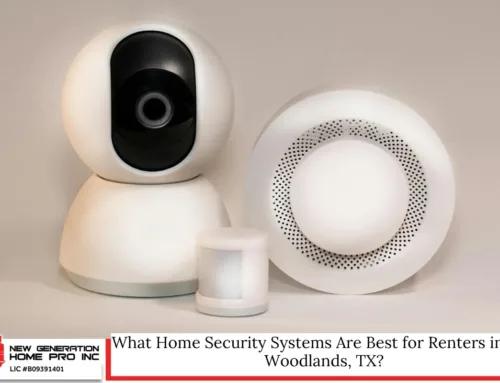
Remote temperature and occupancy sensors provide more useful information. Depending on the equipment, home control can prioritize occupied rooms during different periods instead of relying on one fixed location.
A household might prioritize:
- The kitchen and living room during the evening.
- Bedrooms overnight.
- A home office during working hours.
- Frequently used spaces on weekends.
This does not create independent zoning unless the HVAC system is designed for it, but it can help the thermostat make decisions based on the spaces that matter at that moment.
Door and Window Sensors Can Reduce HVAC Waste
One useful automation pauses or adjusts cooling when an exterior door or window remains open beyond a reasonable period.
A brief opening should not cause constant system cycling, so the rule needs a delay. For example, cooling might pause only after a patio door has remained open for several minutes.
The system can also send a notification explaining why the thermostat changed. That prevents residents from assuming the air conditioner malfunctioned.
This type of smart control is especially useful when children, guests, contractors, or household staff frequently use exterior doors.
HVAC Alerts May Catch Problems Earlier
Runtime monitoring can reveal unusual behavior before the monthly bill arrives.
A thermostat may report that the system is taking longer than usual to reach its setpoint. It might also detect continuous operation, unexpected indoor temperature changes, or unusual humidity.
These alerts do not replace professional HVAC diagnostics. However, they can encourage homeowners to investigate problems such as:
- A dirty air filter.
- A blocked return vent.
- A door left open.
- Incorrect thermostat settings.
- Refrigerant or equipment issues.
- Poorly performing ductwork.
- A failing sensor.
Early attention can prevent a minor efficiency problem from becoming a larger comfort or repair issue.
Automated Lighting Cuts Waste Without Darkening the House
Lighting generally represents a smaller load than air conditioning, but it is also one of the easiest systems to automate.
The goal is not simply to turn every light off aggressively. Good lighting automation delivers the appropriate amount of light only where and when it is needed.
Occupancy and Vacancy Sensors Serve Different Purposes
An occupancy sensor turns lights on when movement is detected and turns them off after the area becomes vacant. This works well in rooms where automatic activation is convenient.
A vacancy sensor requires someone to turn the light on manually but switches it off after the room is empty. That approach may save more energy in spaces where natural daylight is often sufficient.
Suitable locations include:
- Closets.
- Laundry rooms.
- Pantries.
- Garages.
- Storage rooms.
- Powder rooms.
- Children’s play areas.
- Guest rooms.
Sensor timing must fit the activity. A delay that is too short can turn lights off while someone is reading, working quietly, or showering. A delay that is too long weakens the energy benefit.
Daylight-Based Dimming Uses Available Sunlight
Light sensors can measure ambient brightness and reduce electric lighting when daylight is adequate.
In a kitchen with large windows, for example, dimmable fixtures may operate at full output before sunrise, reduce output during bright morning hours, and increase gradually as evening approaches.
This process is often called daylight harvesting. It is most effective when fixtures, dimmers, bulbs, and sensors are compatible and professionally calibrated.
Scheduled Exterior Lighting Avoids All-Day Operation
Exterior fixtures are frequently left on because timers were never updated after seasonal sunrise and sunset changes.
Astronomical schedules solve that problem by adjusting automatically according to local sunrise and sunset times. Lights can turn on at dusk, dim later in the evening, and switch off at a designated time.
Motion detection can then increase brightness temporarily when someone approaches a driveway, walkway, garage, or entrance.
This layered strategy improves visibility while avoiding full-power operation throughout the night.
Scenes Reduce the Number of Lights Left Behind
A lighting scene controls several fixtures with one command.
An “Away” scene might switch off interior lighting, reduce selected exterior loads, and verify that unnecessary devices are not operating. A “Good Night” scene can turn off common-area lights while leaving low-level pathway lighting available.
Because the entire routine happens from one button, keypad, app command, or voice instruction, residents are less likely to overlook individual rooms.
Read How to Protect Your Smart Home Automation from Cyber Threats in The Woodlands, TX
Motorized Shades Lower Solar Heat Gain
Windows allow daylight into the home, but they can also introduce significant heat.
The Department of Energy notes that heat gain and heat loss through windows account for approximately 25% to 30% of residential heating and cooling energy use. Window quality, orientation, coverings, shading, and installation all affect the result.
Motorized shades can respond to sun exposure instead of remaining in the same position all day.
Sun-Tracking Routines Protect West-Facing Rooms
Afternoon sunlight can quickly increase the temperature of rooms with west-facing glass. A scheduled shade routine can close selected coverings before solar exposure becomes intense.
The shades may reopen after the sun moves away or after outdoor temperatures decline.
This reduces the cooling system’s burden while protecting flooring, fabrics, artwork, and furnishings from prolonged ultraviolet exposure.
Shade Automation Should Preserve Useful Daylight
Closing every shade all day may reduce heat, but it can also create a dark interior that requires more electric lighting.
A better smart house strategy balances several goals:
- Block direct solar heat when necessary.
- Preserve indirect natural light.
- Maintain privacy.
- Protect interior finishes.
- Avoid obstructing exits or doors.
- Coordinate with lighting scenes.
The best settings depend on window orientation, tree cover, room use, glass type, and time of year.
Smart Plugs and Load Control Reduce Standby Consumption
Many electronics consume a small amount of electricity while appearing to be off. This is commonly called standby load, phantom load, or vampire power.
The amount varies by device. One television or charger may not make a noticeable difference, but dozens of connected electronics operating continuously can create a persistent background load.
Smart plugs and controlled outlets can disconnect selected equipment according to schedules or occupancy.
Useful candidates may include:
- Guest-room televisions.
- Printers and office accessories.
- Gaming equipment.
- Audio components.
- Decorative lighting.
- Coffee stations.
- Device chargers.
- Workshop equipment.
Not every device should be disconnected. Refrigerators, networking equipment, security systems, medical devices, leak detectors, sump pumps, and equipment requiring continuous power should remain energized as intended.
Measure Before Automating
An energy-monitoring plug can show how much electricity a device consumes during active and standby periods.
That information helps homeowners prioritize worthwhile improvements instead of automating equipment that uses almost no power.
For example, disconnecting a high-draw entertainment rack overnight may be worthwhile. Adding a smart plug to an efficient lamp used for ten minutes a day may not be.
Measurement creates better decisions.
Smarter Water Heating Can Lower Unnecessary Runtime
Water heating is another important household energy load. Savings opportunities depend on whether the home has a conventional storage tank, heat-pump water heater, tankless system, recirculation pump, or another configuration.
Recirculation Pumps Should Not Run Continuously
A hot-water recirculation system reduces the time residents wait for hot water, but continuous operation can waste both electricity and heat.
House automation can schedule the pump around normal routines or activate it through a button, occupancy sensor, or demand command.
For example, the pump may operate during morning and evening periods rather than running throughout the day.
Any changes should follow equipment-manufacturer instructions and preserve safe water temperatures.
Leak Detection Prevents Water and Energy Loss
A hot-water leak wastes more than water. It also forces the water heater to replace lost heated water.
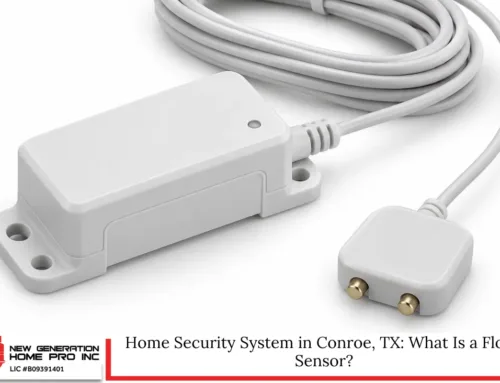
Connected leak sensors can monitor areas near:
- Water heaters.
- Washing machines.
- Dishwashers.
- Sinks.
- Refrigerators.
- Toilets.
- HVAC condensate systems.
- Attic mechanical equipment.
Some systems can close an automatic shutoff valve after detecting abnormal flow. This feature is primarily intended to reduce property damage, but it may also prevent ongoing utility waste.
Pool and Outdoor Equipment Need Purpose-Built Scheduling
Pools, fountains, landscape lighting, pumps, and outdoor entertainment systems can represent significant electrical loads.
Simple timers help, but modern controllers provide more flexible scheduling based on season, water temperature, usage, maintenance needs, and equipment requirements.
A pool pump should not be shortened to an arbitrary schedule without considering circulation, filtration, sanitation, equipment specifications, and professional guidance. Variable-speed pumps may achieve efficient circulation by operating longer at lower speeds rather than running briefly at maximum output.
Automation can also prevent accidental operation of:
- Pool lighting during daylight.
- Decorative water features when nobody is home.
- Outdoor audio after designated hours.
- Landscape lighting beyond the intended schedule.
- Heaters when the pool or spa is not being used.
Energy Dashboards Turn Utility Data Into Decisions
A monthly utility bill reports the final result, but it does not always explain why consumption increased.
Energy dashboards, smart meters, circuit-level monitors, connected thermostats, and device histories can provide more immediate information.
A homeowner might discover that:
- Cooling runtime increased after a schedule change.
- A pool pump is operating during unnecessary hours.
- A guest suite remains conditioned while vacant.
- Office equipment is drawing power overnight.
- Weekend usage differs sharply from weekday usage.
- A new appliance increased the home’s baseline load.
Patterns are often more valuable than isolated readings.
Compare Similar Time Periods
Energy use should be evaluated carefully. A higher bill does not always mean the automation failed.
Bills may change because of:
- Hotter weather.
- Longer billing periods.
- Rate changes.
- More people at home.
- Guests.
- Equipment problems.
- New appliances.
- Increased pool use.
- Changes in work schedules.
Compare similar weather periods and occupancy patterns whenever possible. Thermostat runtime, kilowatt-hour consumption, and utility charges should be reviewed separately.
Peak-Demand Programs May Add Financial Incentives
Some electricity providers and efficiency programs offer incentives for qualifying connected thermostats or demand-response participation.
These programs may briefly adjust thermostat settings during periods of high grid demand. Participation terms, device eligibility, enrollment rewards, override rules, privacy practices, and event frequency differ by provider.
ERCOT has continued evaluating residential demand-response structures that use connected devices to reduce demand during critical periods. Availability to a particular household depends on its electricity provider, service territory, program rules, and compatible equipment.
Homeowners should read the current agreement before enrolling. They should understand:
- Who can change the thermostat.
- How often events may occur.
- Whether residents can override adjustments.
- What data the provider receives.
- Whether incentives are guaranteed or conditional.
- How to leave the program.
Do not select a thermostat solely because an old rebate page appears in search results. Programs and eligibility requirements can change.
Why Random Devices Often Produce Disappointing Results
Buying several Wi-Fi products does not automatically create an efficient home.
Disconnected devices can lead to multiple apps, inconsistent schedules, duplicate sensors, unreliable voice commands, and automations that conflict with one another.
A thermostat might enter away mode while a lighting platform believes the home is occupied. Motorized shades may close at the same time lights turn off. A plug schedule could disconnect equipment during a firmware update.
Domotics works best as a coordinated system rather than a collection of unrelated gadgets.
Start With Household Routines
Before choosing products, identify where energy is being wasted.
Ask practical questions:
- Which rooms remain conditioned while empty?
- Which lights are repeatedly left on?
- When does the household usually leave and return?
- Which windows receive the strongest afternoon sun?
- Which devices draw power overnight?
- Are there rooms used only on certain days?
- Which actions do residents consistently forget?
The answers should shape the technology.
Prioritize Interoperability
Connected products may communicate through Wi-Fi, Ethernet, Bluetooth, Zigbee, Z-Wave, Thread, Matter, proprietary radio systems, or combinations of these technologies.
Compatibility is not guaranteed simply because two products work with the same voice assistant.
Before purchasing equipment, verify:
- Electrical requirements.
- HVAC compatibility.
- Neutral-wire requirements.
- Hub or bridge requirements.
- Local-control capabilities.
- Supported communication standards.
- Manufacturer update policies.
- Subscription costs.
- Integration with existing devices.
- Manual operation during network outages.
A well-planned platform is easier to maintain and expand.
Cybersecurity Protects Both Privacy and Energy Control
Connected thermostats, locks, cameras, plugs, and controllers can collect sensitive information about occupancy and household routines.
Research on Internet of Things devices has identified risks involving unauthorized access, weak authentication, privacy exposure, malware, and insecure data handling.
Basic safeguards include:
- Use unique passwords for every account.
- Enable multifactor authentication where available.
- Update device firmware and mobile applications.
- Replace default administrator credentials.
- Secure the Wi-Fi network with modern encryption.
- Remove devices that no longer receive security updates.
- Review account permissions and connected services.
- Limit remote access to people who need it.
- Delete former residents, contractors, or employees promptly.
- Keep recovery email addresses and phone numbers current.
Do not expose controllers or network equipment directly to the internet unless the system is designed and secured for that purpose.
Local Standards and Texas Rules Should Shape Installation
Most plug-in devices and software routines do not require structural work. However, hardwired controls, new electrical circuits, exterior cameras, motorized shades, outdoor equipment, and visible enclosures may involve additional requirements.
The Woodlands Township states that properties are subject to covenants and residential standards. Approval may be required for the placement, construction, alteration, or repair of improvements, with neighborhood-specific criteria also applying. Homeowners should check current requirements before making visible exterior changes.
Texas licensing rules also distinguish between different types of electrical and low-voltage work. Certain remote-control, signaling, communications, and power-limited circuits may fall under state licensing exemptions, while line-voltage electrical work can involve different requirements. The exact scope matters, so homeowners should use appropriately qualified professionals rather than assuming every connected device is a simple low-voltage installation.
Cameras Require Thoughtful Placement
Texas guidance generally recognizes residential security-camera use where recording does not invade an area in which another person has a reasonable expectation of privacy. Cameras should be positioned for legitimate property monitoring rather than directed into private neighboring spaces. Audio recording, facial recognition, and biometric identification can raise additional concerns.
Energy-focused automation rarely requires extensive surveillance. Occupancy can often be determined with motion sensors, door contacts, pressure sensors, thermostat sensors, or anonymous presence detection.
Exterior Equipment Should Respect Community Standards
Before placing visible cameras, antennas, wiring, control cabinets, solar-powered sensors, or other equipment outdoors, review the current residential standards and neighborhood criteria.
Concealed, tidy installation supports both reliability and property appearance. Weather exposure, moisture, heat, insects, lightning, and power surges should also be considered.
A Practical Five-Step Plan for Lower Energy Bills
Homeowners do not need to automate everything at once.
1. Establish a Baseline
Collect several months of electricity bills and note major changes in occupancy, weather, equipment, or rates.
Record thermostat schedules, pool-pump settings, lighting habits, and known high-draw devices.
2. Address the Largest Loads First
Start with air conditioning, pool equipment, water heating, or another major load before focusing on decorative devices.
A thermostat adjustment usually offers more potential than automating one table lamp.
3. Add Sensors Where They Improve Decisions
Use occupancy, temperature, humidity, daylight, door, window, and leak sensors strategically.
Avoid adding sensors without a specific purpose.
4. Build Simple Automations
Begin with dependable routines such as:
- Away mode.
- Good-night lighting.
- Sunrise and sunset schedules.
- HVAC door-open alerts.
- Guest-room setbacks.
- Pool schedules.
- Water-leak notifications.
Test each routine before building more complicated logic.
5. Review the Results
After several billing cycles, compare energy consumption and equipment runtime with similar periods.
Adjust schedules that cause discomfort, false triggers, or unnecessary cycling. Effective smart living should feel natural, not restrictive.
What Determines the Return on Investment?
The payback period depends on equipment cost, installation complexity, current energy habits, electricity rates, HVAC condition, household schedules, and the amount of waste that can realistically be eliminated.
A resident who already maintains efficient thermostat and lighting habits may see modest savings. A household that frequently cools empty rooms, leaves lighting on, or operates outdoor equipment unnecessarily may have more room for improvement.
The return can also include non-energy benefits:
- More consistent comfort.
- Remote troubleshooting.
- Earlier leak detection.
- Easier operation for older adults.
- Improved security awareness.
- Better control of vacation properties.
- Simplified daily routines.
- More accessible lighting and shading.
Energy savings should be treated as one part of the value rather than a guaranteed percentage.
The Most Efficient Home Is the One That Responds to Real Life
Home automation saves money by reducing the gap between how a house operates and how its residents actually live. Thermostats can adjust when rooms are empty, lights can respond to occupancy and daylight, shades can reduce afternoon heat, and connected outlets can control unnecessary standby loads.
The technology is most effective when it is planned around measurable waste, compatible equipment, local conditions, and simple routines. It should also preserve manual controls, privacy, cybersecurity, and household comfort.
For homeowners in The Woodlands, the strongest strategy is not to install the largest number of devices. It is to create a coordinated system that makes small, correct energy decisions throughout the day. Those decisions can reduce unnecessary consumption, improve awareness, and make monthly utility costs more manageable over time.
Home Automation in The Woodlands, TX – New Generation Home Pro Inc
New Generation Home Pro Inc helps homeowners create efficient, comfortable spaces through professionally planned home automation in The Woodlands, TX. We design integrated systems that connect climate, lighting, shades, entertainment, security, and convenient smart control around the way your household actually lives. Our goal is to reduce wasted energy without making daily routines complicated. We evaluate your priorities, recommend compatible technology, and configure practical schedules, scenes, sensors, and remote access for dependable performance. We also serve prominent surrounding areas with responsive guidance and customized solutions. Call New Generation Home Pro Inc at (713) 501-9985 or fill out our contact form to discuss your project. We are ready to make your home easier to manage, more comfortable, and more energy conscious.
Frequently Asked Questions
Can home automation keep saving energy during an internet outage?
Yes, depending on system design. Many thermostats, lighting processors, hubs, and scheduled scenes can continue operating locally when the internet fails, although remote access, cloud analytics, voice assistants, or notifications may stop temporarily. Systems that rely heavily on cloud commands may lose more functionality than platforms with local processing. Ask the installer which automations remain active offline, whether schedules are stored on the device, and how manual controls work. A reliable design should preserve temperature adjustment, wall-switch operation, and essential routines while reconnecting automatically after internet service returns without requiring reconfiguration.
How often should energy-saving automations be reviewed?
Review them at least twice a year and whenever occupancy, work schedules, equipment, or comfort preferences change. A routine created for summer vacation may waste energy during the school year, while a thermostat schedule built around office commuting may no longer fit remote work. Compare utility bills, HVAC runtime, device histories, and room-use patterns before making adjustments. Also inspect sensor batteries, time settings, firmware updates, and daylight schedules. Seasonal reviews help prevent outdated rules from fighting one another. The best house automation plan evolves with the household instead of remaining frozen after installation.
Will smart switches work with every type of LED bulb?
No. Compatibility depends on the switch, dimmer, bulb driver, fixture load, wiring, and whether the circuit has a neutral conductor. An incompatible pairing can cause flicker, buzzing, limited dimming range, delayed shutoff, or lights that never turn fully off. Check the manufacturer’s tested-bulb list and minimum-load requirements before installation. For multiway circuits, confirm that companion switches are supported. Tunable-white and color-changing bulbs may require constant power and app-based control rather than conventional dimming. Specification prevents problems while ensuring lighting automation produces dependable savings without reducing comfort or shortening component life.
Can renters use smart living technology without rewiring?
Yes. Renters can begin with portable devices such as smart plugs, removable occupancy sensors, connected lamps, leak detectors, energy-monitoring outlets, and approved thermostat replacements. Written permission may be needed before changing a thermostat, lock, doorbell, wall switch, or permanently mounted equipment. Keep original hardware, document it, and restore the property when moving unless the owner agrees otherwise. Choose products with manual controls so future occupants are not dependent on a personal account. Portable technology can reduce standby loads, automate lighting, and improve temperature scheduling while avoiding electrical or permanent alterations to the residence.
What happens to connected devices when the house is sold?
Ownership transfer should include a structured digital handoff. Remove personal accounts, voice recordings, access codes, camera history, household names, and stored routines according to each manufacturer’s instructions. Factory-reset devices only after documenting model numbers, wiring, network requirements, warranties, and local programming that should remain. The buyer may need new subscriptions, a compatible router, or installer support to reactivate advanced features. Sellers should not leave active remote access behind. A handoff protects privacy and helps preserve the value of the smart house system instead of turning installed technology into confusing technology.
Disclaimer: Energy savings vary by property, equipment, utility rates, occupancy, and system configuration. Confirm current permit, covenant, electrical, privacy, warranty, and incentive requirements before installing or modifying connected equipment.
Read Smart Home Routines: Best Home Automation in The Woodlands, TX